
Download Jetbee – CD burning, DVD burning, disk copying, virtual disk image, file browser, lightweight software, Windows utility
Overview
Jetbee is a user-friendly application designed for Windows users seeking a straightforward solution for CD and DVD burning tasks. The software is tailored to simplify the process of creating physical media copies, offering essential functionality without the complexity of larger disk-burning suites. Its primary purpose is to enable users to duplicate discs, create virtual disk images, and manage files efficiently—all within a lightweight and responsive interface. This makes Jetbee particularly valuable for individuals who need reliable media creation tools without consuming significant system resources.
Target users include home users, students, and professionals who frequently archive data, distribute software, or maintain backup copies of digital content. The application addresses common pain points associated with traditional burning software, such as bloated interfaces, slow performance, and steep learning curves. By focusing on core functionality, Jetbee streamlines workflows for disc duplication and data preservation. Its integration of a double file browser enhances file accessibility, allowing users to quickly locate and transfer content from various directories.
Developed by Jetbee Software, the app positions itself as a modern alternative to legacy burning tools. Although the developer did not provide additional technical details about its background or development philosophy, the app’s design and performance suggest a focus on usability and efficiency. In the broader context of the Windows utility ecosystem, Jetbee fills a niche for minimalistic, high-functionality tools that prioritize speed and simplicity. For users looking to reduce software clutter while maintaining essential capabilities, Jetbee presents a compelling option.
Key Features & Functionality
- Simple Disk Copying: Jetbee enables users to duplicate CDs and DVDs with just a few clicks. This feature is ideal for creating backup copies of software, music, or personal data, eliminating the need for complex configurations or technical knowledge.
- Virtual Disk Image Creation: Users can generate and save disk images for later use. This is especially useful for archiving important files or preparing virtual machine environments where physical media is not available.
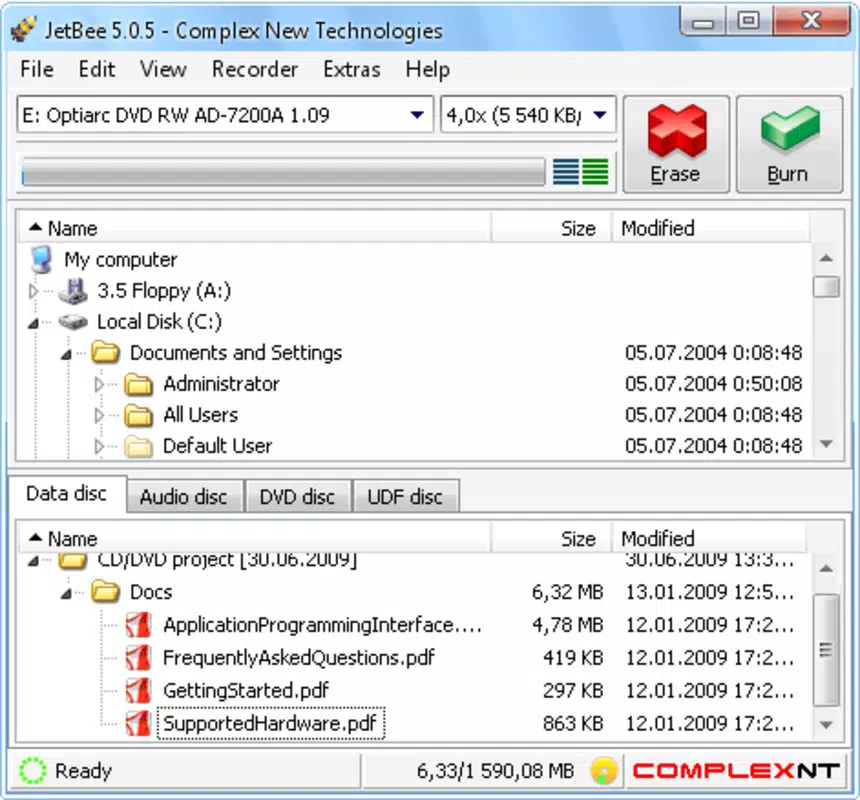
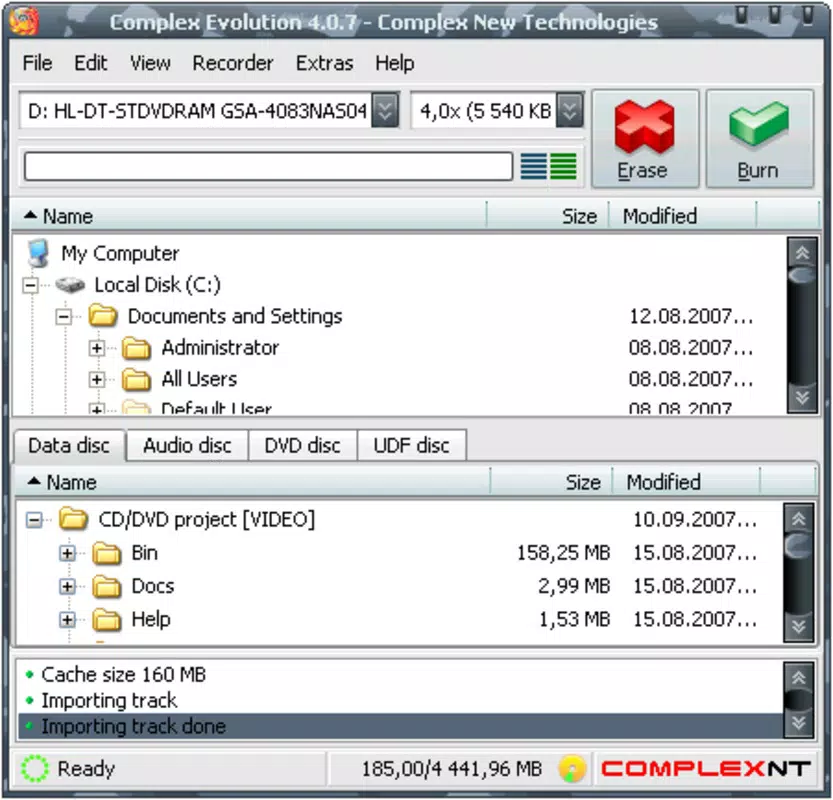
- Integrated File Browser: The application includes a double file browser that allows users to simultaneously view source and destination directories. This enhances navigation and file management, reducing the time required to locate and select content for burning.
- Lightweight Design: At only 3.2 MB, Jetbee consumes minimal system resources. This makes it suitable for older or low-spec machines that may struggle with heavier burning suites.
- User-Friendly Interface: The clean, intuitive layout ensures a low learning curve. Whether a novice or experienced user, individuals can begin using the software immediately without extensive tutorials.
For example, a student preparing a presentation backup can use Jetbee to copy their project files to a DVD in under a minute. Similarly, a small business owner might use the virtual disk image feature to preserve client data for future reference. The streamlined workflow supports efficient data handling across various real-world scenarios, reinforcing Jetbee’s role as a practical utility tool.
Interface, UX & Performance
Jetbee features a clean, minimal interface that emphasizes clarity and ease of use. The layout is organized around essential functions, with clearly labeled buttons and a logical flow for initiating disc burning tasks. Navigation is intuitive, allowing users to move between file selection, disc preparation, and burning execution without confusion.
The integrated double file browser enhances the user experience by enabling side-by-side file comparison and direct drag-and-drop operations. This reduces the number of steps required to prepare a disc and minimizes the risk of errors during file selection. The application’s responsiveness is consistent across different device categories, though the developer did not list formal performance metrics.
Although the developer did not specify minimum OS requirements, Jetbee operates smoothly on standard Windows systems. The lightweight nature of the software contributes to its stability, reducing the likelihood of crashes during long burning sessions. Users can expect consistent performance when handling medium-sized projects, such as copying a full-length DVD or creating a disk image from a folder of documents.
Overall, the UX design reflects a strong commitment to usability, with no unnecessary visual clutter or redundant features. The interface remains functional and accessible, even for users with limited technical experience.
Platform Compatibility & Technical Requirements
Jetbee is designed exclusively for the Windows platform. The current version, 2.5.0, has a file size of 3.2 MB, making it highly portable and suitable for quick installation on various systems. The software is available at no cost, with a free pricing model that removes financial barriers to access.
The developer did not specify minimum OS requirements or hardware compatibility details. As such, users should ensure their system meets general Windows compatibility standards for running lightweight applications. While no formal testing data was provided, the app’s small footprint suggests it can function on systems with limited resources.
Compatibility with different Windows versions (e.g., Windows 7, 8, 10, 11) was not explicitly confirmed. Users are advised to test the application on their specific setup to verify functionality. The absence of detailed technical specifications does not diminish the app’s usability but highlights the need for cautious deployment in sensitive environments.
Pros and Cons
Pros
- Lightweight design with minimal system impact
- Simple, intuitive interface suitable for all user levels
- Integrated double file browser for efficient file management
- Supports both physical disc copying and virtual disk image creation
- Free to download and use, with no hidden costs
Cons
- Specific system requirements were not listed
- No information on support for advanced disc formats or error correction
- Compatibility with newer Windows versions was not confirmed
- Limited feature set compared to full-featured burning suites
- Developer did not provide update frequency or future roadmap
FAQ
Is Jetbee safe to download and install?
Yes, Jetbee is a free utility developed by Jetbee Software. It does not contain malware or adware based on available information. As with any software, users should download it from trusted sources to ensure integrity.
Can I use Jetbee to burn data DVDs and CDs?
Yes, Jetbee supports the creation of data discs, allowing users to burn files and folders to CDs and DVDs for backup or distribution purposes.
Does Jetbee support creating ISO files?
Yes, Jetbee enables users to create virtual disk images, which are commonly used in the form of ISO files for archiving or virtual machine deployment.
Is Jetbee compatible with Windows 11?
While the developer did not confirm compatibility with Windows 11, the app’s lightweight design suggests it may function on newer systems. Users are encouraged to test it on their device.
How often is Jetbee updated?
The developer did not disclose the update frequency. Users should check the official website periodically for new versions and improvements.
Final Thoughts
Jetbee stands out as a focused, efficient tool for users who need reliable CD and DVD burning capabilities without the overhead of larger software suites. Its lightweight design, intuitive interface, and support for both physical and virtual disc creation make it a valuable addition to any Windows user’s toolkit. While it lacks some advanced features found in professional-grade applications, it delivers on its core promise: simplicity and speed.
Home users, students, and small business operators who prioritize ease of use and system efficiency will benefit most from this utility. The fact that it is free and requires minimal resources enhances its appeal in today’s digital landscape.
For anyone seeking a no-frills, effective solution for burning discs or creating disk images, Jetbee offers a solid, dependable option. Download Jetbee now.


